
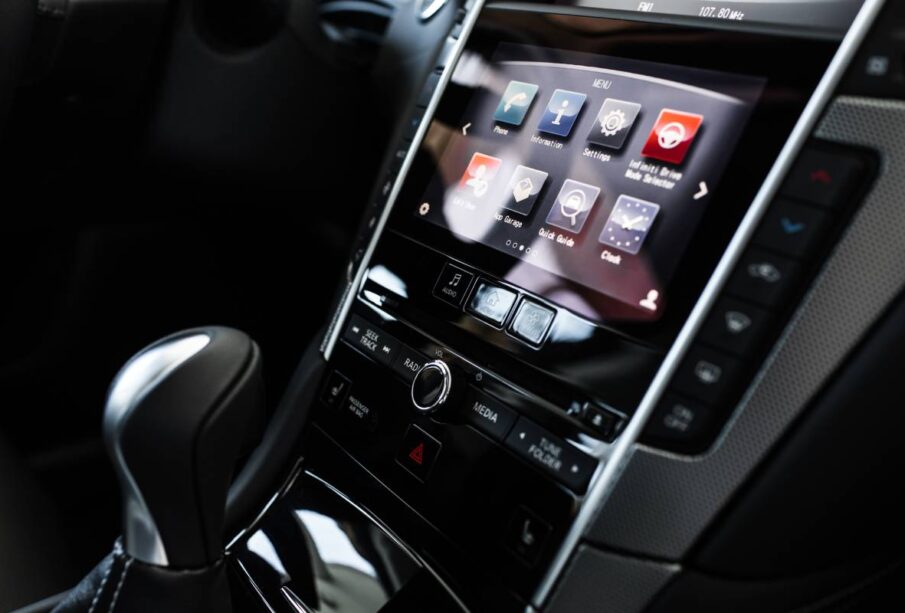
Apple CarPlay has become one of the most valued upgrades in modern vehicles. It seamlessly brings your iPhone interface to your car’s dashboard, giving you easy access to navigation, messages, music, calls, and more — all in a driver-friendly format. However, if you’re considering upgrading your car’s head unit, one of the first choices you’ll face is whether to opt for wired or wireless Apple CarPlay.
This decision influences convenience, usability, reliability, and cost. The differences may seem small at first glance, but when you step into your car every day, those small differences add up. Let’s break it all down so you can decide what’s best for you.
What Is Apple CarPlay?
Before diving into wired vs wireless, let’s briefly explain what Apple CarPlay is:
Apple CarPlay is an Apple-designed interface that projects a simplified version of your iPhone’s essential apps onto your car’s infotainment screen. It’s optimized for hands-free use and safer driving, integrating Siri voice control with built-in buttons or touch screens.
CarPlay supports:
- Navigation (Apple Maps, Google Maps, Waze)
- Phone calls and messages
- Music and audio apps (Apple Music, Spotify, Podcasts)
- Voice-activated assistance via Siri
In most vehicles, you can only access CarPlay through a compatible head unit. That’s where the big choice comes in: wired or wireless?
Wired Apple CarPlay: What It Is
With wired Apple CarPlay, you connect your iPhone to the car’s USB port using a Lightning cable. The connection enables CarPlay immediately, and the system mirrors your iPhone’s compatible apps onto the head unit screen.
Pros of Wired Apple CarPlay
1. Reliability and Speed
Wired CarPlay delivers a stable and fast connection every time. There’s no pairing, dropped signals, or lag — once you plug in, it works.
2. Faster Start-Up
Most wired systems launch CarPlay instantly when you connect your phone. There’s no waiting for Bluetooth or wireless negotiation.
3. Better Audio/Video Quality
USB connections generally offer better audio fidelity and lower latency. This matters if you use navigation apps, streamed music, or podcasts regularly.
4. No Battery Drain Worries
Because your phone is charging while connected, you don’t sacrifice battery life during long drives — a big plus on road trips.
5. Cheaper Option
Wired CarPlay head units are often less expensive than their wireless counterparts. If cost is a concern, wired units often deliver the best value.
Cons of Wired Apple CarPlay
1. Cable Dependence
You have to plug in your phone every time you get in the car. For some, that’s a minor annoyance — for others, it’s a dealbreaker.
2. Cable Wear and Tear
Lightning cables can wear out over time. They get tangled, fray, or simply break — meaning replacement costs.
3. Limited Freedom
Your phone is physically attached to the dash. If you want to change songs or look up directions while the car is parked, you may end up doing so awkwardly.
Wireless Apple CarPlay: What It Is
With wireless Apple CarPlay, your iPhone connects via Bluetooth (for initial authentication) and then streams the CarPlay interface over Wi-Fi. Once paired, CarPlay launches automatically whenever you enter the vehicle — no cable needed.
Pros of Wireless Apple CarPlay
1. Maximum Convenience
This is the biggest advantage. No cables. Ever. Just sit down and CarPlay starts automatically. Easy, clean, and seamless.
2. Better Aesthetics
With no cable dangling from the dash, your interior looks cleaner and more modern.
3. Natural Way to Use Your Phone
Wireless CarPlay feels like a natural extension of your phone. It’s much closer to “set-and-forget.”
4. Future-Forward Tech
Wireless connectivity is becoming standard — and smart. If you plan on keeping your car or head unit for years, this future-proofs you.
Cons of Wireless Apple CarPlay
1. Higher Cost
Wireless CarPlay head units typically cost more. The added hardware for Wi-Fi and Bluetooth support isn’t free.
2. Battery Drain
Wireless CarPlay can use more phone battery because it doesn’t charge while connected. Unless your car has Qi wireless charging or a USB charger, you could find your phone draining on long trips.
3. Possible Connectivity Issues
Wireless systems can occasionally drop the signal, take longer to connect at startup, or require reconnecting if interference occurs.
- Slightly Lower Performance
Wireless data transfer over Wi-Fi isn’t as fast as a direct USB connection. You might experience small lags in map loading or audio response.
Wired vs Wireless Apple CarPlay — Side-by-Side Comparison
Here’s a comparison to help you visualise the differences:
| Feature | Wired CarPlay | Wireless CarPlay |
| Ease of Connection | Requires cable | Automatic |
| Startup Time | Fast | Slight delay |
| Phone Charging | Yes | No (unless separate charger) |
| Signal Stability | Very stable | Good, but can fluctuate |
| Audio Quality | Best | Excellent, slightly compressed |
| Cost | Lower | Higher |
| Aesthetics | Cable clutter | Clean look |
| Battery Impact | Neutral (charges) | Can drain battery |
Practical Scenarios: Which One Is Best For You?
Let’s explore real use-cases so you can decide based on how you actually drive.
1. Daily Commuter Who Just Wants Reliability
If you’re using CarPlay every day to call, message, navigate, and stream music, wired CarPlay is hard to beat for reliability. You plug in, and it works — every time.
The stability and speed of wired connections make this ideal if you value consistency more than convenience.
2. Family Car or Shared Vehicle
For cars used by multiple drivers (e.g., family vehicles), wireless CarPlay shines. Everyone can jump in with their phone, and CarPlay activates automatically — no hunting for cables.
This is especially helpful if tall, short, or differently-abled people are using the vehicle. One less cable to fumble with makes life easier for everyone.
3. Frequent Road Trips
On long drives, battery life matters. Wired CarPlay keeps your phone charged, meaning navigation and podcasts don’t drain your battery.
While wireless CarPlay is convenient, wired may actually be more practical for extended trips unless you have a wireless charger integrated into your dash.
4. Tech Enthusiasts Who Love Convenience
If you’re the type who values a minimalist, cable-free setup and don’t want to connect a cable every time you get in the car — then wireless CarPlay feels like the future.
Yes, you might pay more. But for many users, the seamless experience is worth the premium.
Installation Considerations
Aftermarket Head Units
If your car didn’t originally come with CarPlay, upgrading with an aftermarket head unit is a popular option.
Reputable retailers and installers such as Bankstown Sound can help you choose the right unit and ensure proper installation with integration to steering controls, backup cameras, and audio systems.
Factory vs Aftermarket Systems
- Factory Head Units: Many modern cars now offer wireless CarPlay as OEM technology. This tends to be well-integrated with vehicle controls and performs reliably.
- Aftermarket Head Units: Give you more options, like larger screens, better audio amps, and advanced features — but quality varies. Always choose reputable brands.
Wireless CarPlay Technical Notes
Wireless CarPlay works using a combination of:
- Bluetooth for initial device authentication
- Wi-Fi Direct for data streaming
This means:
- The connection is generally fast — but nearby wireless signals (traffic, other devices) can sometimes interfere.
- Not all cars or head units support wireless CarPlay out of the box — so check compatibility with your phone model and operating system.
Common Misconceptions
“Wireless CarPlay Is Always Better”
Not always. If stability and performance are vital (e.g., for navigation in low-signal areas), wired might still outperform wireless.
“Wired CarPlay Is Old Technology”
Wired CarPlay isn’t outdated — it’s simply more dependable and continues to be favoured for users who want reliability over wireless convenience.
“Wireless CarPlay Is Plug-and-Play”
Most of the time, yes — but on some older or cheaper head units, wireless connectivity can take a moment to connect, especially if the phone disconnects at idle.
Tips to Improve Your CarPlay Experience
Whether you choose wired or wireless, here are ways to get the most out of Apple CarPlay:
Update Your iPhone
Make sure your iPhone is running the latest iOS version — this ensures best compatibility and latest features.
Use Quality Cables
If you go wired, invest in high-quality Apple-certified (MFi) cables. Cheap cables often fail quickly and cause connection issues.
Check Head Unit Firmware
Aftermarket head units often have firmware updates. Keeping your unit up-to-date can fix bugs and improve wireless performance.
Wireless Charging
If you choose wireless CarPlay but worry about battery life, consider installing a Qi wireless charging pad in your car. This keeps your phone topped up without cables.
Clean Connectors
Loose or dirty USB ports can cause connection issues. Keep them clean and dust-free.
Real-World User Reviews
Here’s what users typically report:
Wired CarPlay Reviews:
- “Always works, every time.”
- “Love that my phone charges while I drive.”
- “The cable is annoying — but worth it for reliability.”
Wireless CarPlay Reviews:
- “So convenient — I just hop in and it starts.”
- “Every once in a while it stutters, but still great overall.”
- “Wish it charged the phone at the same time.”
Both have passionate supporters. The “right” choice really depends on what you value most.
Cost Considerations
Wired head units are often $150–$500 cheaper than wireless units. If budget matters, that’s a significant factor.
Also consider installation costs:
- Basic installations are simple.
- More complex installs (retaining steering controls, integrating cameras) will cost more.
Always get a quote upfront and check warranties on both the unit and installation.
Conclusion: Wired or Wireless?
So, should you get a wired or wireless Apple CarPlay head unit? Here’s a summary framework to help you decide:
Choose Wired Apple CarPlay if:
- You prioritise reliability and performance
- You don’t mind plugging in your phone
- You want phone charging while driving
- You’re budget-conscious
Choose Wireless Apple CarPlay if:
- You want the ultimate convenience
- You dislike cables and clutter
- You’re okay with occasional signal quirks
- You love seamless tech and don’t mind the premium
There’s no universal “best” choice — only the best choice for your needs and habits. Both wired and wireless Apple CarPlay bring modern smartphone functionality to your dashboard. The key differences are convenience versus reliability, and price versus cable-free comfort.
Before installation, review options, read user reviews, and consult with professionals to get the unit that matches your vehicle and preferences. Whether you choose a cost-effective wired head unit or invest in a wireless-ready system, Apple CarPlay will make daily drives and long road trips smarter, safer, and more enjoyable.